Nokia 1280 Launcher
- 3.8
- Rating
- 5.00M
- Installs
- Free
- Price
 Analysis by App-foxy
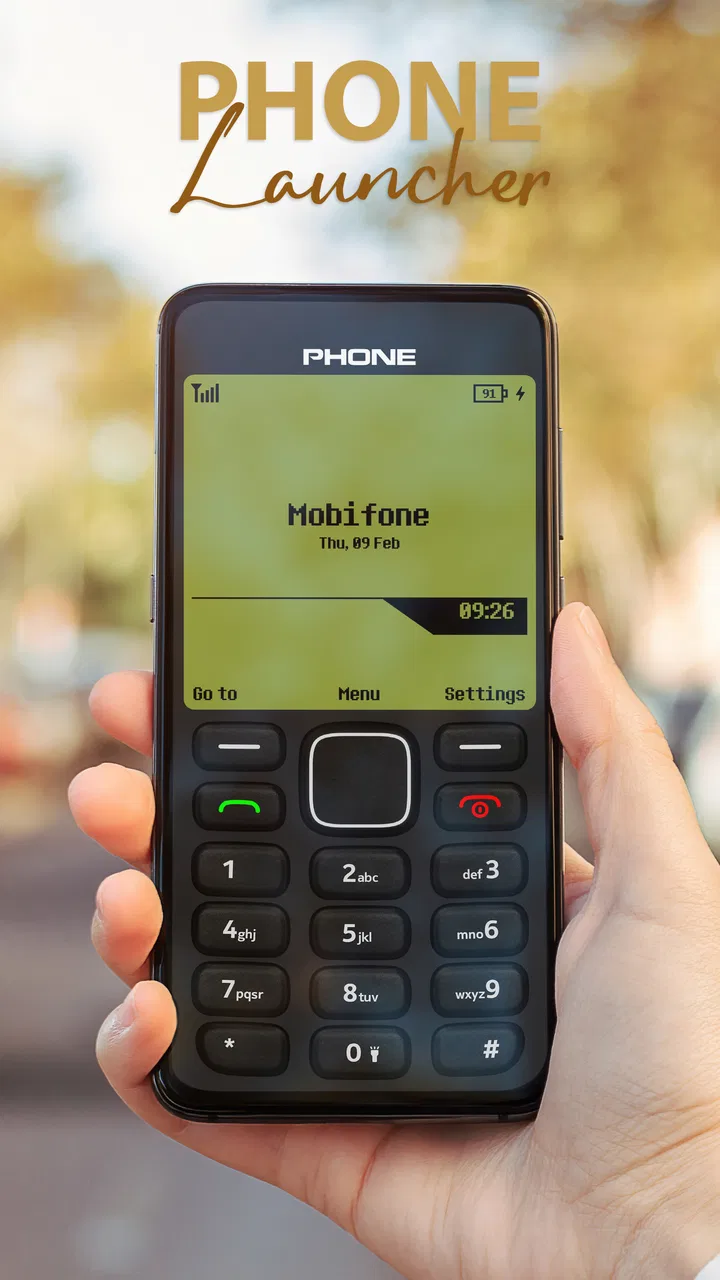
I installed Nokia 1280 Launcher expecting a quick nostalgia trip, and that is exactly how it feels at first: a visual change that makes an ordinary Android phone seem simpler and more old-fashioned. The app belongs to the personalization category, is free to use, and comes from UniTiki. Its purpose is not to replace every part of the operating system, but to give the home-screen experience the character of a classic Nokia handset.
That distinction matters. This is not a full phone transformation in the sense of changing your hardware, signal quality, camera, messaging service, or Android settings. It is a launcher, so its main job is to alter the way you reach apps and interact with the home screen. If you want a familiar modern Android interface with a nostalgic layer on top, it is an easy idea to understand. If you want an actual feature phone with physical buttons and a battery that lasts for days, no launcher can provide that.
My first impression was positive because the change is immediate. The phone feels less visually busy, and the old-school presentation gives basic actions a little more personality. The app has also attracted a sizeable audience, with over five million installs and a 3.8 average from around thirteen thousand ratings. Those figures suggest that the concept is easy for many people to appreciate, even if it is not a perfect fit for every daily routine.
You May Also Like

 Blood Strike: 2.5 Anniversary
Blood Strike’s Loadouts Turn Every Drop Into a Tactical Gamble
A close look at Blood Strike’s custom loadouts: how fast access to signature weapons reshapes its battle royale rhythm, rewards preparation, and narrows the gap between fights.

 Pandora - Music & Podcasts
Pandora’s Music Is Easy to Start, but Harder to Recover
Pandora’s strength is its low-effort path from a seed to a station. Its weak spot is how much confidence it asks you to place in connection, setup, and quiet recovery.

 8 Ball Pool
 Is Built on Rivalries, Rematches, and Routine
A close look at the rivalries, rematches, shared routines, and unanswered safety questions that turn a quick pool match into a persistent mobile community.

 Samsung Music
’s Quiet Strength Is Playing What You Already Own
Its reach comes less from spectacle than from dependable access to a personal library. That simplicity is both the app’s strongest retention engine and its ceiling.

 AccuWeather: Weather Radar
AccuWeather Review: A Quick, Clear Forecast for Everyday Decisions
For everyday plans, the best forecast is the one you can understand quickly. AccuWeather makes rain timing, radar, and local conditions easy to act on, with a few trade-offs.

 Hill Climb Racing
Why Hill Climb Racing Still Turns Crashes Into One More Run
A tiny car, a bumpy hill and one more upgrade: Hill Climb Racing keeps resurfacing because its simple chaos makes every near-miss feel personal.
More From Our News Desk



From first-week novelty to a usable daily habit
I use the first section to look beyond the initial retro appeal and consider whether the layout can become a dependable starting point for everyday tasks. The key test is not whether it looks familiar, but whether I can still reach the apps I need without losing the calmer feel that drew me to it.
The first few days are the strongest part
During the first week, the launcher is at its most entertaining. I found myself opening the home screen simply to enjoy the contrast with the standard Android layout. Modern phones usually push a dense mixture of icons, widgets, notifications, search tools, and suggestions toward you. A Nokia-inspired arrangement feels calmer because it points your attention toward the essentials instead of encouraging constant browsing.
This makes the app particularly appealing to people who grew up with simple mobile phones, or to anyone who enjoys retro design without wanting to buy a separate device. It can also be a pleasant experiment for somebody who feels that a current smartphone has become visually overwhelming. Installing a launcher is less drastic than replacing the phone, and returning to the normal interface is generally less intimidating than changing the whole device setup.
The nostalgia is not only about appearance. It changes the mood of routine actions. Checking the time, opening a call screen, or selecting a familiar app can feel more deliberate when the interface does not look like a constantly updating dashboard. I would not call that a productivity system by itself, but it can create a useful pause before you start tapping through social feeds.
Who gets the most from the retro approach
I think the best audience is someone who wants a playful, low-cost personalization experiment. It also suits a spare phone used for calls, music, travel, or occasional messaging, where a straightforward home screen is more useful than a large collection of widgets. Parents and older relatives who prefer a less complicated visual style may also appreciate the idea, although I would test it with them personally rather than assuming nostalgia automatically means better usability.
A realistic everyday example would be a person who keeps a second Android phone for commuting. Instead of filling that device with news, shopping, and social shortcuts, they can use the Nokia-inspired launcher to make the home screen feel focused on calls, contacts, messages, and a few chosen tools. That arrangement can reduce the temptation to treat the spare phone like another entertainment screen. The value comes less from advanced functions and more from changing what the device invites you to do.
The app is free and rated for Everyone, which makes trying it relatively accessible for a broad audience. It supports Android devices starting with version 5.0, so it is not restricted to recent hardware. That older compatibility is useful if you have an aging phone that still works well but feels visually dated. On the other hand, an older device may already have limitations that a launcher cannot solve, such as slow app loading or limited storage.
The trade-off behind a simpler screen
The same simplicity that creates the charm can also slow me down. Android’s regular launcher is designed around quick access, flexible placement, search, widgets, and habits built over years. A retro layout may make the phone feel cleaner, but it can also make a favorite app less immediately obvious if its position or presentation differs from what I normally use.
This is the first important trade-off: the launcher changes the feeling of using the phone more than it changes what the phone can do. That is a strength when your goal is atmosphere or reduced visual clutter. It is a weakness when you expect a deep productivity improvement. I would not install it hoping for faster photography, better notifications, stronger privacy, or longer battery life. Those are phone and operating-system concerns, not the central purpose of this app.
What happens after the novelty fades
After the initial excitement, I started judging the app by a harder question: would I still want it on the phone after the retro effect became normal? The answer depends on whether the visual style supports a lasting habit. If I want a quieter home screen every day, the launcher has a reason to stay. If I mainly want to remember an old handset for a few minutes, the appeal may end as soon as the first-week curiosity disappears.
That is why I see it as more successful for people who deliberately want a different relationship with their phone, rather than for users who simply collect themes. A theme can be fun for a weekend. A launcher earns permanent space only when its layout remains comfortable during repeated tasks such as unlocking the phone, locating a contact, opening a map, and returning home.
Long-term value, upkeep, and the points that create fatigue
I then weigh what keeps the launcher worthwhile over time against the small sources of friction that can build up in regular use. I focus on practical upkeep and changing routines, before turning to the specific habits and situations that make the difference between a lasting fit and a brief experiment.
Monthly value depends on repetition
For month-to-month use, I would judge Nokia 1280 Launcher by how often its simplicity helps rather than by how often it surprises me. The nostalgia will naturally become less intense, but a familiar visual routine can still be worthwhile. If the home screen makes you pause before opening distracting apps, or if it gives an older phone a more enjoyable identity, that benefit can continue after the novelty has gone.
There is also a practical emotional benefit to using a design that feels intentionally limited. Many people do not need more customization choices; they need fewer things competing for attention. A Nokia-inspired interface can act as a personal boundary between essential phone tasks and the endless stream of modern smartphone content. That does not guarantee better screen habits, but it can support someone who is already trying to make those habits more deliberate.
Still, I would not call the long-term value universal. Users who depend on several widgets, a heavily organized app library, or rapid access to many work tools may find the retro presentation restrictive. A standard Android launcher, or a customization app built around flexible grids and widgets, will usually be the better choice for people who want information visible at a glance.
Maintenance is light, but not invisible
A launcher is not something you install once and completely forget. It sits between you and the normal home screen, so changes in your app collection can make the arrangement feel less tidy over time. When you install new apps, remove old ones, or change your daily priorities, you may need to spend a little time making the interface feel intentional again.
My practical advice is to begin with a small group of essential apps rather than trying to recreate the entire contents of a modern phone. Put communication, navigation, camera, and the tools you genuinely use most often where they are easiest to reach. Leave occasional apps out of the main routine. This preserves the old-phone character and prevents the launcher from becoming a crowded substitute for the interface you were trying to escape.
I would also keep the regular Android launcher in mind before making the change permanent. A good way to test this app is to use it during a normal week that includes work, errands, travel, and personal messaging, not only during a relaxed evening. That reveals whether the design helps under pressure. If you constantly switch back because you cannot find something quickly, the nostalgia is not compensating for the friction.
Where daily fatigue can appear
The biggest source of fatigue is the gap between the retro presentation and modern app behavior. The launcher may make the starting point look like an older phone, but the apps you open still belong to today’s Android environment. A modern social network, shopping app, or video service will not suddenly become simple because its entry point has a classic style. That contrast can be charming at first and slightly awkward later.
Another possible frustration is muscle memory. People who have spent years using a conventional Android home screen may instinctively expect familiar gestures, icon positions, and visual cues. Even a small change can add seconds to repeated actions. Seconds do not sound important, but they become noticeable when repeated dozens of times. A launcher should therefore be judged by your own routine, not only by screenshots or the emotional response to its design.
I also would not recommend it as the first choice for somebody who needs a phone to be immediately obvious to several different users. A shared device benefits from predictable, standard navigation. The retro look may be appealing to one person and confusing to another, especially if they have no connection to classic Nokia phones. For a personal device, experimentation is easy. For a family or work phone, consistency may matter more.
Comparing it with ordinary Android alternatives
The usual Android launcher offers a broader balance between speed and customization. It is normally the safer option if you rely on widgets, search, folders, notification previews, or a layout you have already memorized. A minimalist launcher focused on reducing distractions may be a closer competitor if your main goal is digital wellbeing rather than nostalgia. That kind of alternative may communicate limits more directly, while this app’s strongest identity comes from its classic-phone atmosphere.
Compared with a generic icon pack or wallpaper, Nokia 1280 Launcher has a more meaningful effect because it changes the entry point to the phone rather than decorating only the background. Compared with buying a basic feature phone, it is far more convenient for someone who still needs Android apps. The compromise is that the underlying smartphone complexity remains available whenever you open those apps.
That comparison helped me define its proper place. It is not the most flexible launcher, not a complete digital-detox solution, and not a replacement for a real classic handset. It is a focused personalization tool for people who want their Android phone to begin with a simpler, more nostalgic tone.
Version, support, and who should skip it
The current version is 3.5, and the app was released on February 8, 2023. I would treat those details as useful context rather than as a promise that every phone will behave identically. Android devices vary widely in screen size, manufacturer software, navigation style, and default-launcher behavior. Before depending on it for an important phone, I would test calls, app access, returning to the home screen, and the way the device handles your normal navigation controls.
I would skip this launcher if you are already happy with your Android layout, need maximum customization, or expect a launcher to solve performance and battery problems. I would also skip it if you dislike retro interfaces or find yourself irritated by anything that adds a step to a familiar action. Nostalgia is subjective; what feels comforting to one person can feel dated or awkward to another.
On the other hand, I would recommend trying it if you want a free way to refresh an older Android phone, reduce the visual pressure of a busy home screen, or recreate some of the emotional simplicity associated with classic Nokia devices. The low commitment makes experimentation sensible, especially when you approach it as a one-week habit test rather than an automatic permanent replacement.
My long-term verdict
After the first-week appeal settles, Nokia 1280 Launcher earns lasting space only when its simplicity becomes useful in your routine. For me, its strongest quality is not that it imitates a memorable phone; it is that it encourages me to look at the home screen as a starting point instead of a storage wall for every app. That is a modest change, but it can be meaningful on a device that feels too busy.
The weaknesses are equally clear. The retro layer cannot simplify the modern apps underneath it, and it may interfere with the speed or flexibility that experienced Android users expect. Its maintenance is not heavy, but you still need to keep the home screen organized and accept that some tasks may feel less immediate than they do with the standard launcher.
UniTiki has made a specific tool rather than an all-purpose answer. I would keep it on a personal or secondary phone if I enjoyed the calmer routine after several ordinary weeks. I would remove it if the classic appearance remained only decoration and I kept reaching for the standard launcher out of habit. In short, Nokia 1280 Launcher is worth keeping when nostalgia develops into a genuinely comfortable daily rhythm; when that rhythm never forms, the usual Android alternative is likely to serve you better.
FAQs for Nokia 1280 Launcher
01What is Nokia 1280 Launcher, and what does it do?
Nokia 1280 Launcher is an Android customization app designed to recreate the visual style and basic experience of the classic Nokia 1280 feature phone. It commonly adds a retro home screen, old-style menus, keypad-inspired controls, monochrome visuals, familiar icons, and nostalgic sounds. It does not turn a modern smartphone into a real Nokia 1280, but it can make the interface feel simpler and more recognizable.
02Is Nokia 1280 Launcher compatible with every Android phone?
Compatibility can vary depending on your Android version, device manufacturer, screen size, and launcher settings. The app is generally intended for Android smartphones, but certain features may behave differently on phones using heavily customized interfaces or newer system restrictions. Before downloading, check the Google Play listing for the latest supported Android versions and read recent user reviews for reports about your specific device.
03Does Nokia 1280 Launcher replace my current home screen permanently?
No, installing the launcher does not permanently change your phone or erase your existing setup. Android normally lets you choose whether to use it as the default home application, and you can switch back to your previous launcher through the system’s default-app settings. It is still a good idea to remember your current launcher choice and review permissions before making it the default.
04Will Nokia 1280 Launcher make my phone work like a real Nokia 1280?
The launcher mainly changes the appearance and navigation style of your smartphone. It cannot reproduce the original phone’s hardware keypad, battery performance, cellular technology, operating system limitations, or exact built-in behavior. Features such as modern notifications, touch controls, widgets, app switching, and smartphone settings will still depend on Android. Think of it as a nostalgic interface rather than a complete phone simulator.
05Is Nokia 1280 Launcher safe to download and use?
For safer installation, download Nokia 1280 Launcher from a trusted official store and verify the developer name, ratings, update history, and requested permissions. A launcher may need access related to displaying the home screen, but permissions unrelated to its purpose deserve careful attention. Avoid modified APK files from unknown websites, keep Android security protections enabled, and uninstall the app if it shows suspicious advertisements or unexpected behavior.
Pros
- Lightweight and uses very little storage or battery
- Simple keypad-style navigation feels familiar and easy to learn
- Nostalgic design appeals to fans of classic Nokia phones
- Runs smoothly on older or budget Android devices
- Useful for creating a distraction-free home screen
Cons
- May feel too basic for users who want modern launcher features
- Limited customization compared with full-featured Android launchers
- Some themes or options may require in-app purchases
- Not an official Nokia product or replacement for the original phone
- Compatibility and appearance may vary across Android versions

Nokia 1280 Launcher
Gallery